Topic 1 · Question 403
You need to create a new user for an Azure subscription.
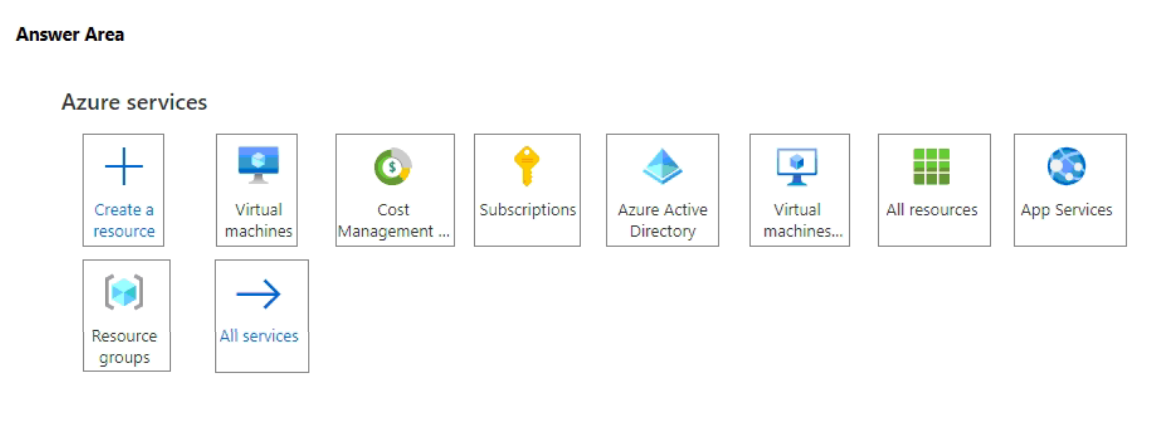
What should you use? To answer, select the service in the answer area.
NOTE: Each correct match is worth one point.
Top comment
Rezaparsa▲ 32Highly votedDecember 30, 2022 09:13 pm
The answer is definitely wrong. it is Azure Active Directory.
5 more highly voted comments
rteinformatica▲ 21Highly votedJuly 12, 2023 10:06 am
The answer is Azure Active Directory.
Why? Because it says you have to CREATE a new user. From Subscriptions, you can associate a previously created user, but it does not allow you to create a new one.
That's the difference...
Why? Because it says you have to CREATE a new user. From Subscriptions, you can associate a previously created user, but it does not allow you to create a new one.
That's the difference...
Nad75▲ 10Highly votedMarch 14, 2023 12:28 pm
I think the answer should be "Azure Active Directory". IF the question was " You need to ADD a new user TO the subscription, then the answer would be the "Subscriptions" tab. You cannot add a user to the Subscription if the user does not exist on the Azure AD. So you need to CREATE the user on Azure AD first and then you will be able to ADD that user under the Subscriptions tab.
Super63▲ 7Highly votedOctober 29, 2024 09:36 pm
The key word in here is CREATE a user. The purpose I create this user is "for an Azure Susbcription".
It goes on to say: "Each correct match is worth one point.". This means that there is more than one answer
To my mind it goes like this
1) We CREATE a new user using ACTIVE DIRECTORY AD. Thus I create a user. But this user is not assigned to "an Azure Susbcription" yet.
2) Then we must ASSIGN the newly created user to the subscription. This is done using SUBSCRIPTIONS
So the two answers are: Azure AD & Subscriptions
NOTE: Susbcriptions cannot create users - they can only be assigned to already created users
It goes on to say: "Each correct match is worth one point.". This means that there is more than one answer
To my mind it goes like this
1) We CREATE a new user using ACTIVE DIRECTORY AD. Thus I create a user. But this user is not assigned to "an Azure Susbcription" yet.
2) Then we must ASSIGN the newly created user to the subscription. This is done using SUBSCRIPTIONS
So the two answers are: Azure AD & Subscriptions
NOTE: Susbcriptions cannot create users - they can only be assigned to already created users
ClaGar▲ 7Highly votedMay 01, 2023 10:12 pm
The question is definitely misleading...It is a trap because both Azure AD and Subscriptions..The question as a note : each good answer gives one point but only one is circled in red
kazan▲ 7Highly votedJanuary 15, 2023 08:29 pm
I thought it was (A) AAD but the answer is correct (D) Subscriptions.
At the Azure portal, select Subscriptions. Select the subscription you want to assign and then select Access Control. Select Add to add a user to the subscription. After you add the user to the subscription, you can assign the user a role and the account to which the user will have access.
https://learn.microsoft.com/en-us/partner-center/assign-azure-subscriptions
At the Azure portal, select Subscriptions. Select the subscription you want to assign and then select Access Control. Select Add to add a user to the subscription. After you add the user to the subscription, you can assign the user a role and the account to which the user will have access.
https://learn.microsoft.com/en-us/partner-center/assign-azure-subscriptions