For each of the following statements, select Yes if the statement is true. Otherwise, select No.
NOTE: Each correct selection is worth one point.
Top comment
if10w▲ 4October 17, 2024 03:07 am
NYY
Yes, you can add multiple resource locks to the same Azure virtual machine. Resource locks in Azure help prevent accidental deletion or modification of your resources. There are two types of locks you can apply:
ReadOnly: This lock allows read-only access to the resource. Users can read the resource but cannot delete or update it.
CanNotDelete: This lock allows all operations except delete. Users can read and modify the resource but cannot delete it.
By applying multiple locks, you can ensure different levels of protection based on your needs. If you have any specific scenarios or questions about using resource locks, feel free to ask!
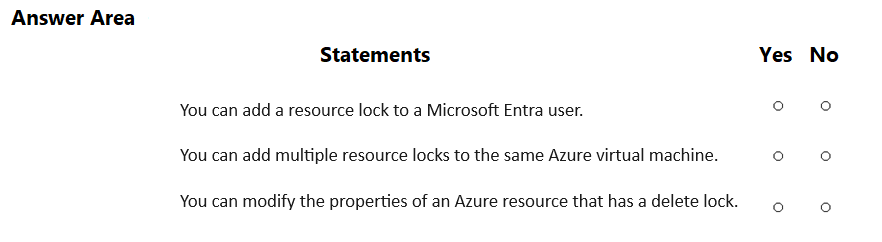
Yes, you can add multiple resource locks to the same Azure virtual machine. Resource locks in Azure help prevent accidental deletion or modification of your resources. There are two types of locks you can apply:
ReadOnly: This lock allows read-only access to the resource. Users can read the resource but cannot delete or update it.
CanNotDelete: This lock allows all operations except delete. Users can read and modify the resource but cannot delete it.
By applying multiple locks, you can ensure different levels of protection based on your needs. If you have any specific scenarios or questions about using resource locks, feel free to ask!