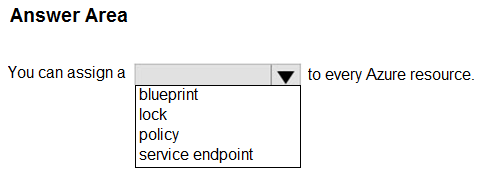
Select the answer that correctly completes the sentence.
Top comment
dgerok▲ 47Highly votedOctober 09, 2023 11:15 am
You can assign a policy to any scope that you have access to, such as a management group, subscription, or resource group. However, you cannot assign a policy directly to an individual resource.
You can assign a lock on every Azure resource that you have access to. You can apply a lock at different levels of scope: subscription, resource group, or individual resource.
So, the right answer is "Lock"!
Policy it is. "Once your business rules have been formed, the policy definition or initiative is assigned to any scope of resources that Azure supports, such as management groups, subscriptions, resource groups, or individual resources."
https://learn.microsoft.com/en-us/azure/governance/policy/overview
F*ck those who say not applicable to individual resources
You can assign a lock on every Azure resource that you have access to. You can apply a lock at different levels of scope: subscription, resource group, or individual resource.
So, the right answer is "Lock"!